Try it in two minutes
The link below opens the app with the Catalog already showing. Press Add to Library on the sample package — a complete plan with its recordings and sheet music — and then Start Practice. On an iPad, the same Catalog is on the home screen.
Open the web app → The full quick start is in the app, under Help.
One plan. Every device.
A practice package is a folder: the plan, the recordings, the scores. The same package opens on all of them.
iPad and iPhone
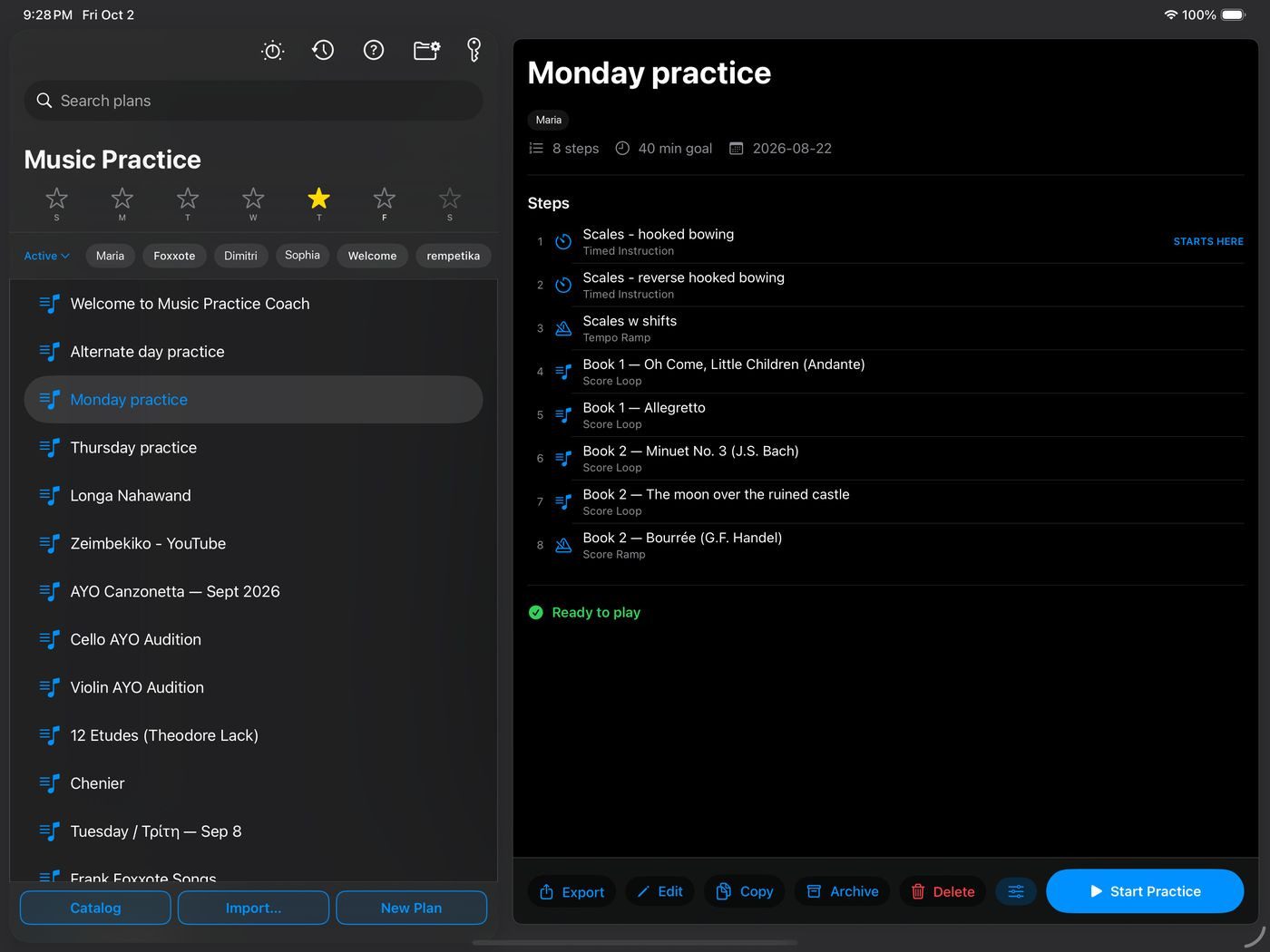
Where practice happens. Score full-screen, loops with pitch-preserving slow-down, a metronome that keeps clicking with the screen locked. Mark up the score with a finger or Apple Pencil.
Requires iOS 18.
Get it on the App Store →Mac
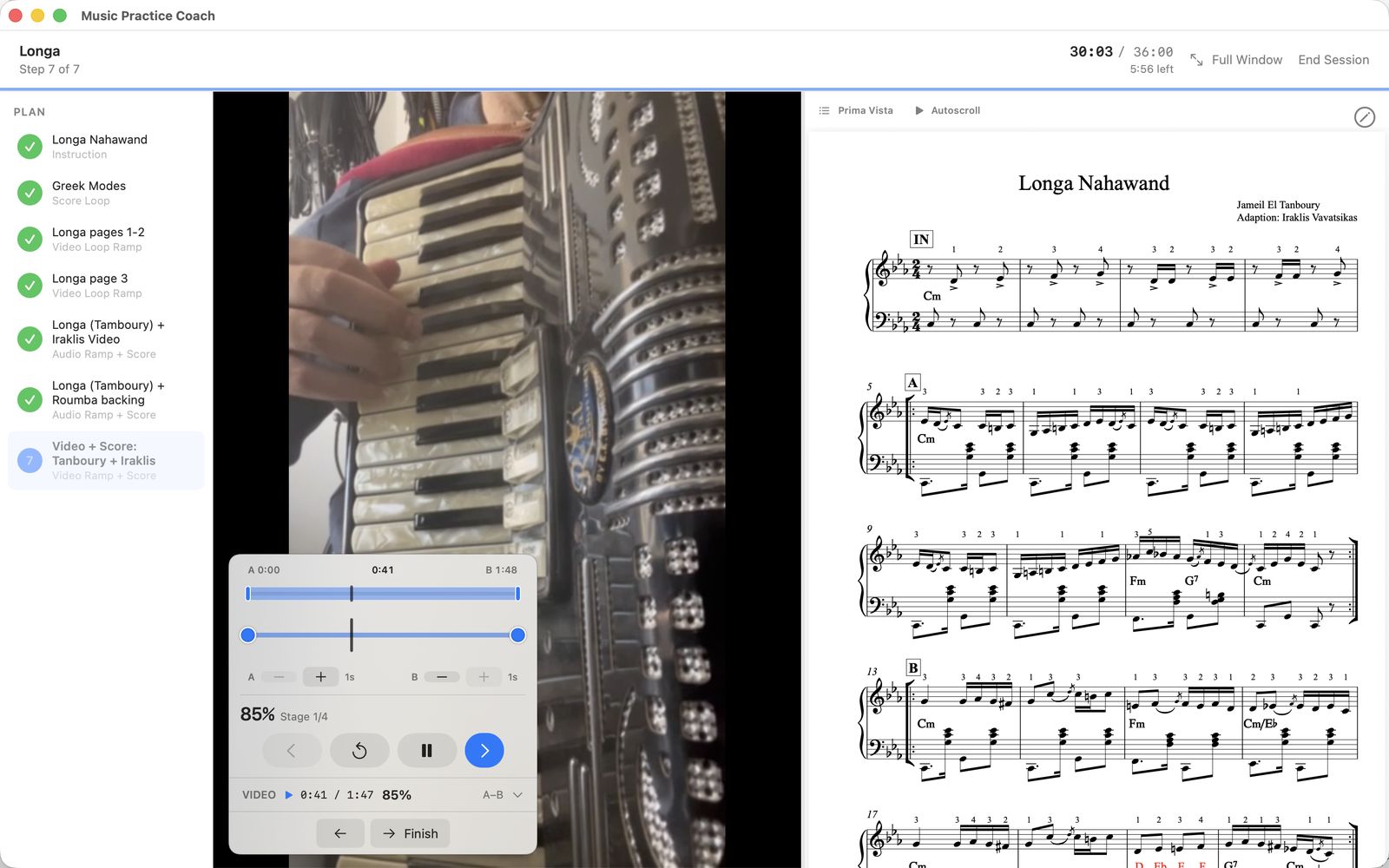
Where plans get built. The plan, the recording and the score sit side by side on a screen big enough to read from. Drag steps into order, set A and B points to the hundredth of a second, and export the finished package.
Requires macOS 15.
Get it on the Mac App Store →Web
The full app in a browser: build plans, run sessions, loop and slow down recordings, read and mark up the score. Nothing to install, no account to create. Works in any modern browser, and is at its best in Chrome or Edge — those can also keep your library as real files in a folder on your computer. Open the link and start.
Open the web app →Android
The same app on Android tablets and phones: plans, loops, scores, annotation and the metronome, reading the identical package. Built and in testing; not on Google Play yet.
Coming soon to Google PlayWhat a step can be
Each step does one job. A plan is however many of them you need, in the order you want.
- InstructionText to read, with an optional tuner for tuning up.
- TimedA countdown, with a metronome if you want one.
- Tempo rampThe metronome steps up from a starting tempo to a target, cycle by cycle.
- ScoreSheet music on screen with a countdown, and a metronome or a tempo ramp.
- Audio, video or MIDI loopRepeat a passage at any speed, 30% to 200%, pitch unchanged.
- Loop plus scoreThe recording and the sheet music side by side.
- Speed rampStart slow, set a target, and the loop advances through the stages as you play.
- YouTubePractice along with a reference recording, with loop points and speed control.
For teachers
Build the week's practice once — scales with a tempo ramp, the hard passage of the concerto as a loop at 70%, the page of the étude with a countdown — and share it as one package. The student opens it and practices exactly what you set, in the order you set it, for as long as you set.
Recordings and scores travel inside the package, so there is nothing for the student to find. If the recordings are not yours to give away, lock them with a code.
Teaching many students? Publish a catalog. Students look you up in the Catalog once, and new plans appear as you publish them.
Who makes this
Music Practice Coach is a collaboration between Constantine Caramanis (Κωνσταντίνος Καραμανής) and Iraklis Vavatsikas (Ηρακλής Βαβάτσικας). It’s free and will stay free — there’s no company behind it, no investors, and no plan to make money from it. We built it because we wanted it for our own students and our own practice, and keeping it free is the point, not a phase.
If it’s useful to you, the best thanks is to tell a teacher. Questions and bugs: support@music-practice-coach.com.
Your files stay yours.
Everything lives on your device. Nothing is uploaded, nothing is tracked, and there is no account to create. The App Store privacy label reads "Data Not Collected," and it means it.